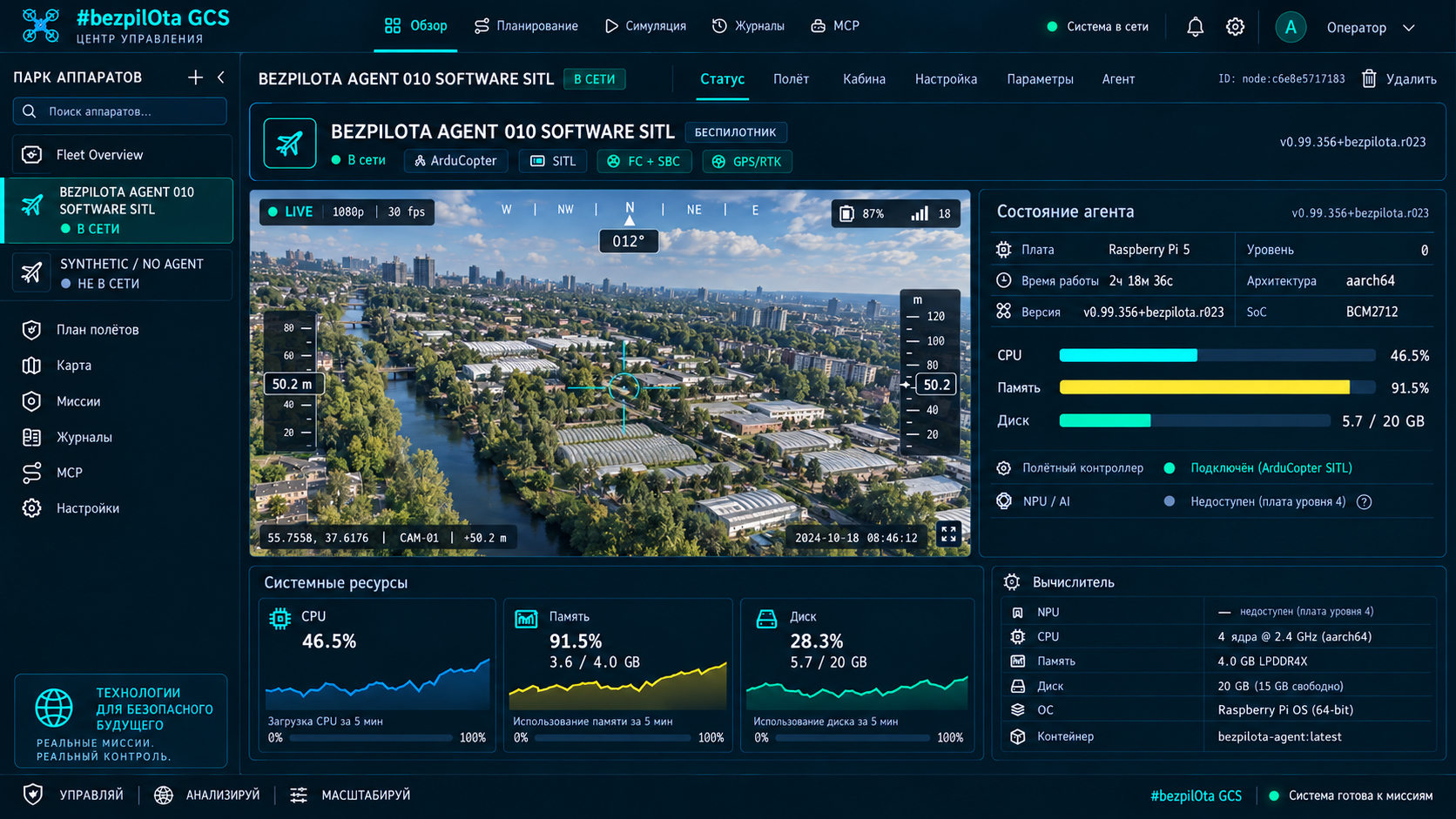
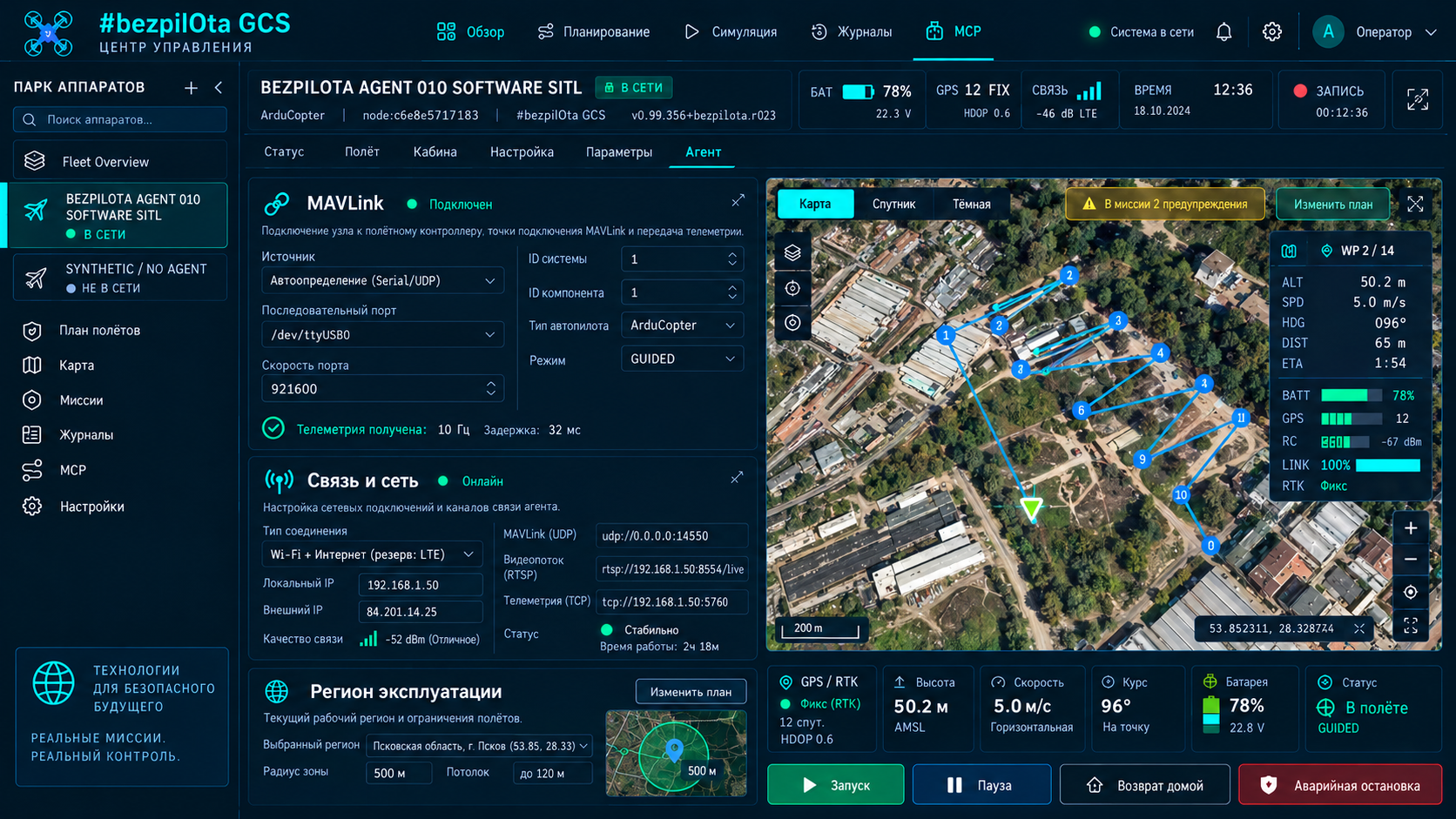
The agent serves a mobile-first setup webapp over the local network and a read-only status cockpit over SSH. Both interfaces, Mission Control and Android handoff read the same status object, giving the operator a consistent view.
The local setup model is defined as a target contract; the KairOS build and service addresses require verification.
KairOS repository ↗On this page +
One mobile-first setup flow
The agent serves the webapp itself, accessible from a phone, tablet or laptop. The primary local use case requires neither internet nor a cloud account. The wizard guides users from device identification to handing the connection over to Mission Control.
Identify
Device name, role, board profile, agent version and overall onboarding progress.
MAVLink
FC status, firmware, serial path, baud rate, heartbeat and WebSocket URL.
Video
Camera or receiver, WHEP URL, recording, bitrate, format and link status.
Network
Hotspot, LAN, USB tethering, mDNS, Ethernet, Wi-Fi client and cellular modem.
Remote access
Optional cloud tunnel token, tunnel status and published URLs.
System
Services, logs, version, support summary and recovery actions requiring confirmation.
The terminal deliberately leaves live configuration unchanged
The kairos command opens a compact cockpit showing the role, version, FC, video, link and cloud status, plus the local setup URL. Changes are made through the webapp using explicit fields and confirmations. This read-only approach reduces the risk of accidental commands during remote support.
kairos

  KairOS Drone Agent  ·  drone  ·  v0.1.0-dev
  ─────────────────────────────────────
  FC      connected   ArduPilot 4.5
  Video   streaming   1080p30  H.264
  Link    healthy     -51 dBm
  Cloud   local mode  relay off
  ─────────────────────────────────────
Setup http://<board-ip>:8080| Command | Purpose |
|---|---|
| kairos | Open the read-only cockpit and display local URLs |
| kairos status | Display a compact summary of setup, MAVLink, video, network and services |
| kairos status --json | Return a status payload for scripts and support |
| kairos update | Check and install a published KairOS release |
| kairos uninstall | Uninstall the KairOS agent from the system |
Five access paths, cloud second
| Address | Purpose |
|---|---|
| http://<board-ip>:8080 | Setup webapp and status over LAN |
| http://<hostname>.local:8080 | mDNS on the same network |
| http://192.168.4.1:8080 | Agent hotspot before an external network is configured |
| ws://<board-ip>:8765 | Raw MAVLink WebSocket relay |
| http://<board-ip>:8889/<cam>/whep | WebRTC video over WHEP |
The preferred path is the board’s IP, USB tethering or hotspot. mDNS is convenient but depends on the client OS and local network. The cloud tunnel is enabled only for remote access; a disabled relay in local mode is normal, not an error.
A shared status object for every surface
- The setup webapp displays full onboarding and permitted changes.
- The CLI provides a safe read-only summary and JSON for support.
- Mission Control uses the same fields when adding and diagnosing a node.
- Android or another handoff opens the same local URL without creating a separate configuration.
- The support summary combines version, profile, services, network, MAVLink and video without disclosing secrets.