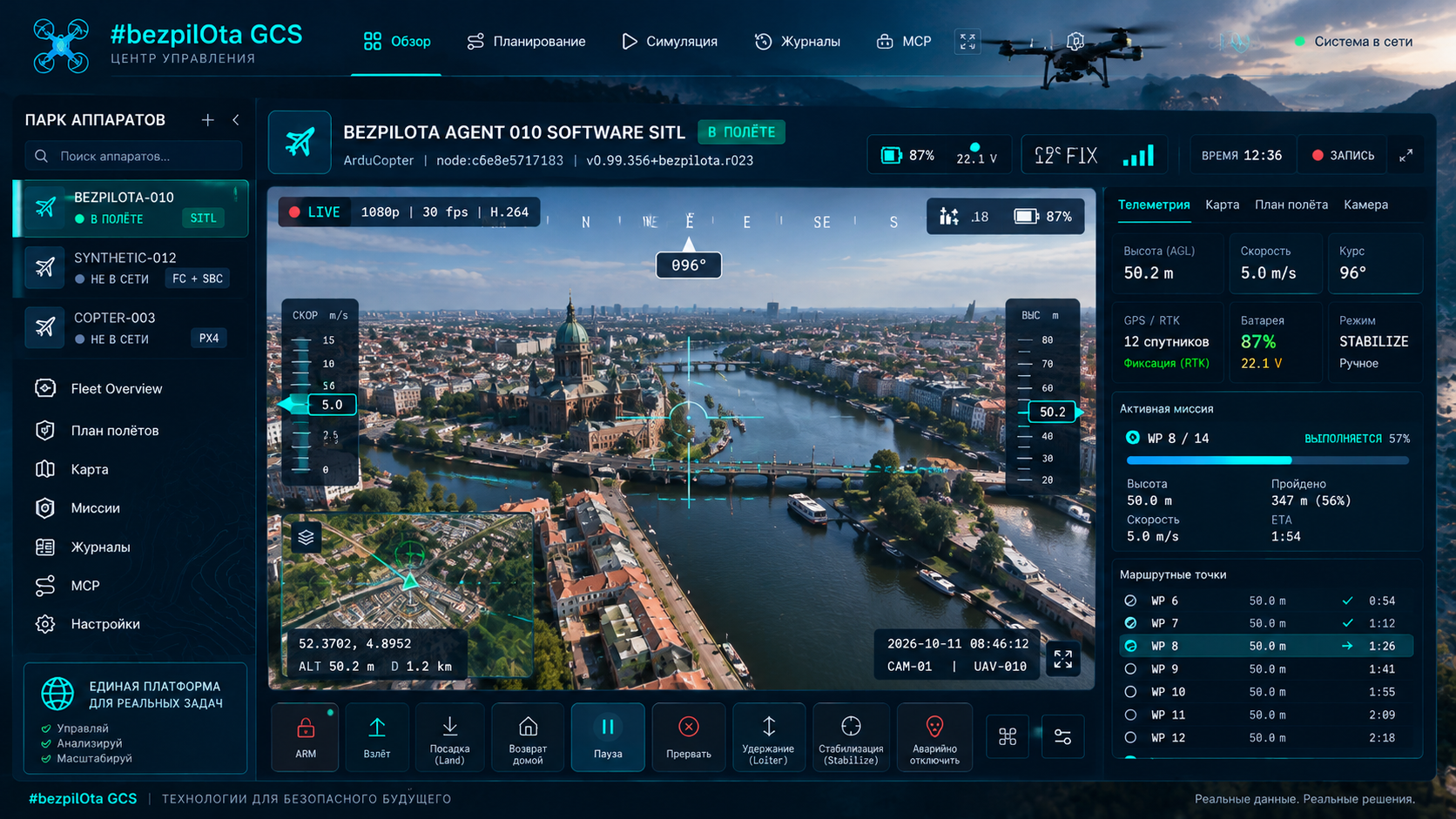
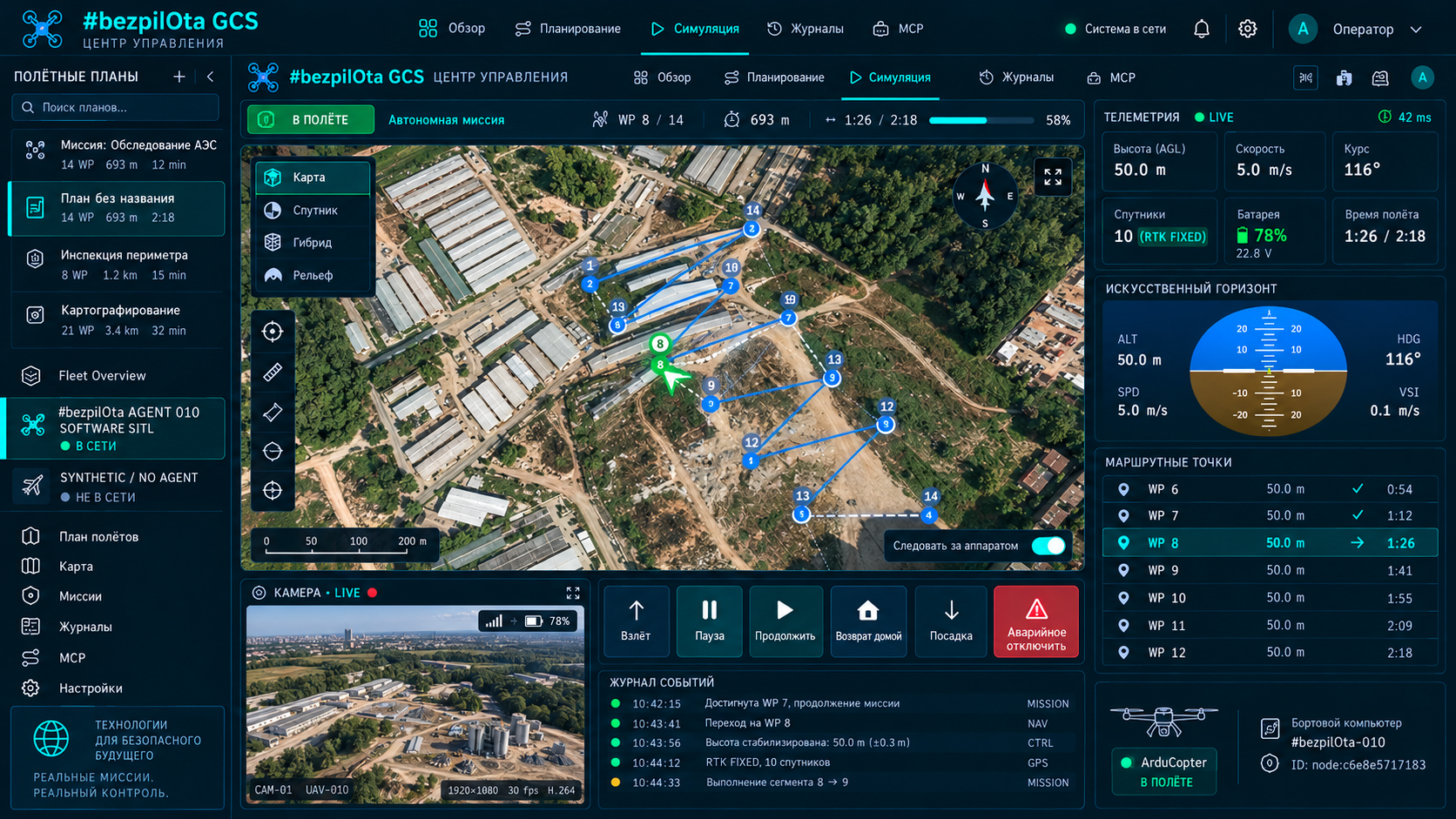
The target workflow starts with local demo mode: explore Dashboard, Plan, Configure, Flight Control and Simulate using synthetic data. Connect a real FC only after the component is published and the secure context, serial flow and safety conditions have been checked.
#bezpiLOTa Mission Control is an adjacent ecosystem component, not part of KairOS Drone Agent; its executable repository has not yet been published.
KairOS repository ↗On this page +
Development environment and browser
- Node.js 20 or newer.
- npm 9 or newer.
- Git for cloning and updating source code after the repository is published.
- Chrome, Edge or Firefox for the standard UI; WebSerial/WebUSB require a Chromium browser.
- A USB cable with data lines if a real FC will be connected later.
node --version
npm --version
git --versionA safe demo environment without an FC
Demo mode is designed to let users explore the interface safely without connecting a real vehicle. It uses simulated telemetry and does not present a test bench as an operational flight system.
Local demo mode
# Отдельный репозиторий #bezpiLOTa Mission Control ещё не опубликован
# После выпуска ожидаемый поток будет таким:
npm install
NEXT_PUBLIC_DEMO_MODE=true npm run devThe planned interface should open at http://localhost:4000. With NEXT_PUBLIC_DEMO_MODE=true, no external database, SITL or physical hardware is required. This block defines a launch contract, not a claim that the current KairOS Drone Agent repository contains the command.
Five main work surfaces
Dashboard
Attitude, GPS/altitude, battery, flight mode, connection path and system alerts.
Plan
Waypoints, seven generators, altitude/speed/camera trigger, geofences, rally, QGC WPL/KML/CSV.
Configure
Failsafe, PID, power, OSD, ports, sensors, gimbal and firmware-specific panels.
Flight Control
Arm/disarm, 25+ ArduPilot modes, gamepad/HOTAS at 50 Hz, keyboard and guided waypoint.
Simulate
3D mission path, terrain following, camera markers, timing and altitude profile.
WebSerial flow on localhost
npm run devOpen localhost
Go to http://localhost:4000 in a Chromium browser.
Connect the FC
Use a data-capable USB cable, click Connect and choose the serial port in the browser prompt.
Serial open
The browser obtains permission through a user gesture and opens the port.
Heartbeat
Mission Control waits for an FC heartbeat and identifies the autopilot/vehicle.
Capabilities
Requests AUTOPILOT_VERSION and protocol capabilities.
Streams + params
Requests telemetry streams and downloads parameters; the target handshake time is 2–5 seconds.
WebSerial works only in a secure context
WebSerial, WebUSB and Web Bluetooth require HTTPS or the special trust granted to localhost. Thus http://localhost:4000 is allowed, but http://<lan-ip>:4000 from another device does not receive these APIs. Hardware access from another device requires HTTPS or a desktop/Electron build.
Connecting to Drone Agent through ordinary WebSocket and REST does not use WebSerial permission, but browser mixed-content rules still matter: an HTTPS page may block a plain HTTP/WS Agent. For a fully local plain-HTTP mode, the GCS and Agent must be available in a compatible context.
Local server and Agent on the same network
npm run dev

# GCS on this machine
http://localhost:4000

# GCS from another LAN client
http://<your-lan-ip>:4000

# Example KairOS Agent address
http://kairos.local:8080
http://192.168.1.50:8080Physics and protocols without a real vehicle
cd KairOS_Drone-Agent/tools/sitl
npm install
npm start
ArduPilot SITL must be installed separately; the binary is usually in ~/.ardupilot/. The bridge connects simulator telemetry to browser transport. This is safer than a first protocol experiment on a vehicle, but still requires checking versions, parameters and mission behavior.
Electron for hardware APIs and a standalone package
npm run desktop:dev
npm run desktop:demo
npm run desktop:build:mac
npm run desktop:buildPlanning assumes about 200 MB of disk space and 200–300 MB of RAM. Actual requirements depend on the platform/runtime version and will be published with the Mission Control build.
Mode and external infrastructure variables
| Variable | Default | Purpose |
|---|---|---|
| NEXT_PUBLIC_DEMO_MODE | false | Seven simulated drones instead of real sources |
| PORT | 4000 | Development server port |
| NEXT_PUBLIC_CONVEX_URL | none | Optional Convex backend |
| NEXT_PUBLIC_MQTT_URL | none | Optional MQTT broker |
Cloud variables are unnecessary in local/direct mode. Missing Convex or MQTT must not block direct USB, local Agent discovery or offline mission planning.
Target structure of the separate GCS
KairOS_Drone-Agent/
├── agent/                onboard runtime
├── api/                  local control surface
├── protocols/            MAVLink and MSP adapters
├── media/                video transports
├── extensions/           sandbox runtime and SDK
├── tools/sitl/           simulator bridge
├── deploy/systemd/       Linux services
├── docs/                 project documentation
└── tests/                contracts and hardware profiles