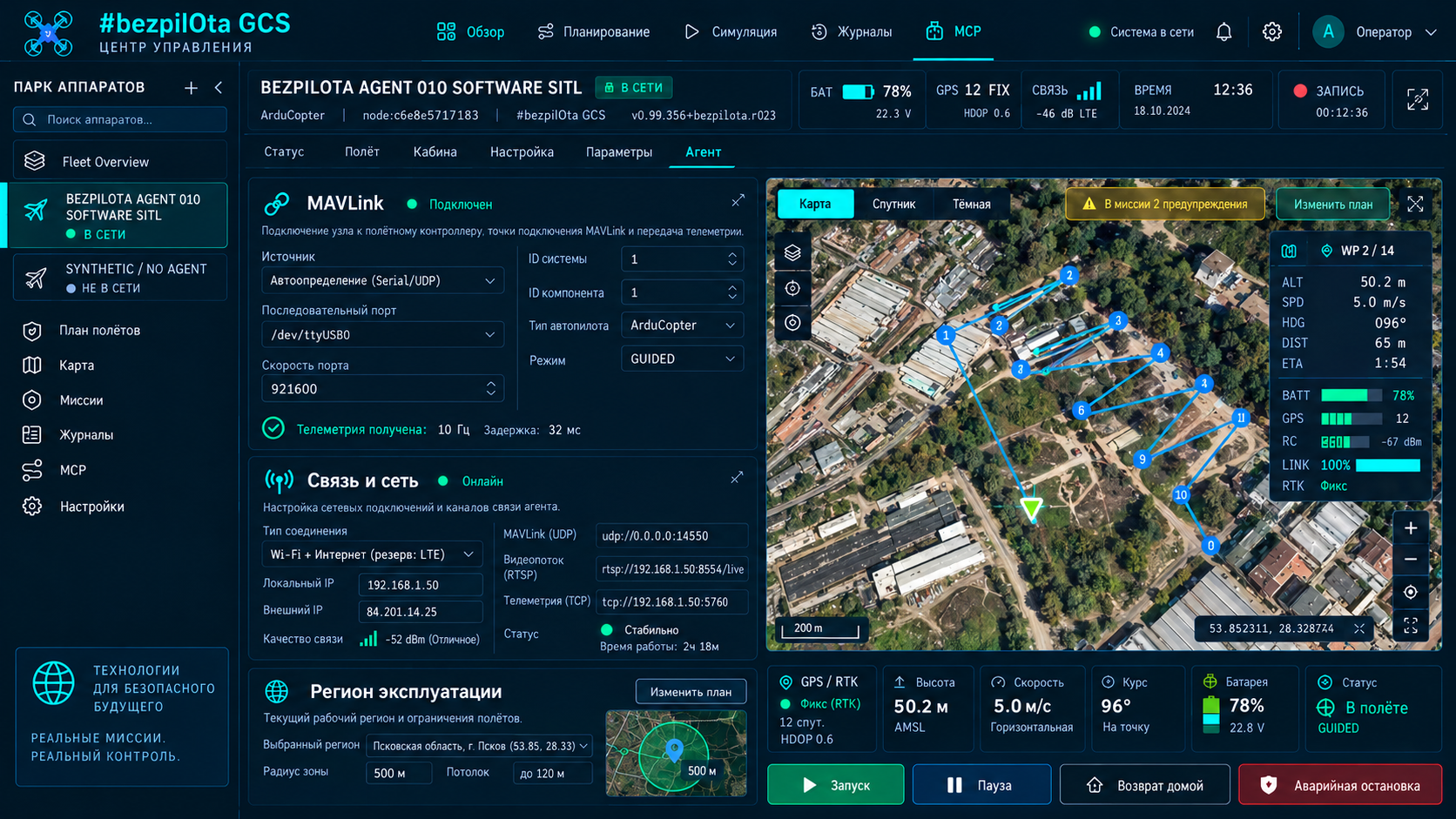
The target Agent is installed on a Linux SBC connected to the flight controller over UART or USB. After release, the status cockpit should show the local URL, and the browser checklist should verify MAVLink, video, networking and handoff to Mission Control.
KairOS’s own installer has not yet been published; this page defines a verifiable installation contract without a fabricated URL.
KairOS repository ↗On this page +
A Rust-first Agent beside the flight controller
The target Agent should run on a companion SBC, receive FC heartbeats and serve REST on 8080, MAVLink routing, video, radio and optional cloud connectivity. Python is planned for AI/vision, hardware bootstrap and plugin runtime. systemd supervises each service and its dependencies.
Hardware and software before installation
- A supported Linux single-board computer.
- A flight controller running ArduPilot, PX4, Betaflight or iNav, connected over UART or USB.
- A USB UVC or CSI camera only if video is needed.
- Internet access on the SBC while installing dependencies.
- Raspberry Pi OS Bookworm, Ubuntu 22.04+, Armbian, Debian 12+ or compatible Linux.
- SSH access and curl.
- Separate stable SBC power sized for the camera, radios and peak load.
The target Flash Tool selects the board and generates the command
Boot the stock OS
Flash and boot a supported manufacturer OS, enable SSH and update the base system.
Open Flash Tool
After Mission Control is published, select air-side Drone Agent and the exact board model.
Copy the generated command
The tool generates a one-line curl command for the current installer and selected profile.
Run over SSH
The script requires sudo, installs dependencies and creates the user/directories, configuration and systemd units.
Wait for healthy status
Board detection, service startup and the first status check should complete without failed units.
Planning assumes 3–8 minutes, but this is not a KairOS SLA. No static URL is inserted deliberately: the released Flash Tool must provide the correct command. A nonexistent kairos/install.sh would be a misleading and potentially dangerous instruction.
Status first, then URL
kairos| Path | URL |
|---|---|
| Same machine | http://127.0.0.1:8080 |
| mDNS | http://kairos.local:8080 |
| Agent hotspot | http://192.168.4.1 |
| USB tether | http://10.55.0.1:8080 |
| LAN | http://<sbc-ip>:8080 |
kairos status
kairos status --jsonSeven screens before handoff to Mission Control
Identify
Name, role, board profile, version and time zone.
MAVLink
FC heartbeat, firmware, serial port, baud rate, system/component IDs and router URL.
Video
Camera detection, resolution, codec, local WHEP and recording state; skippable without a camera.
Network
Hotspot/LAN, Wi-Fi client, Ethernet, USB tethering, modem and mDNS.
Remote access
Optional tunnel/cloud; local mode is a complete and valid state.
Mission Control
Open the GCS and add a node by hostname/IP or discover it automatically.
Finish
Save a support summary, check services and exit onboarding.
Minimal CLI for status and lifecycle
kairos
kairos status
kairos status --json
kairos update
kairos uninstallStatus operations read state. Updates and uninstall change the system and require a separate operator decision, saved configuration and a recovery plan. Do not run lifecycle commands during flight preparation or execution.
Diagnose supervisor, MAVLink and camera separately
journalctl -u kairos-supervisor -n 50 --no-pager
ss -tlnp | grep 8080ls -la /dev/ttyUSB* /dev/ttyAMA* /dev/ttyACM* 2>/dev/null
journalctl -u kairos-mavlink -n 50 --no-pagerls -la /dev/video*
v4l2-ctl --list-devices- If :8080 is not listening, check supervisor/service state before the browser cache.
- If the serial device is missing, check the cable, FC power, USB enumeration and permissions.
- If no heartbeat appears, compare the baud rate and FC telemetry-port settings.
- If /dev/video* exists but the stream does not start, check formats and whether another process owns the device.
- Do not publish journal logs containing API keys, Wi-Fi credentials or pairing state.