লক্ষ্য ব্যবহার local demo mode দিয়ে শুরু: Dashboard, Plan, Configure, Flight Control ও Simulate synthetic data-তে শেখা হয়। Component publication, secure context, serial flow ও safety conditions যাচাইয়ের পরেই বাস্তব FC যুক্ত হয়।
#bezpiLOTa Mission Control ecosystem-এর আলাদা component, KairOS Drone Agent-এর অংশ নয়; executable repository এখনও প্রকাশিত নয়।
KairOS repository ↗এই পৃষ্ঠায় +
Development environment ও browser
- Node.js 20 বা নতুন।
- npm 9 বা নতুন।
- Repository প্রকাশের পরে source clone ও update-এর জন্য Git।
- সাধারণ UI-এর Chrome, Edge বা Firefox; WebSerial/WebUSB-এর Chromium browser প্রয়োজন।
- পরে বাস্তব FC যুক্ত করলে data lines-সহ USB cable।
node --version
npm --version
git --versionFC ছাড়া নিরাপদ demo ব্যবস্থা
Demo mode বাস্তব যান না জুড়ে নিরাপদে interface জানার জন্য পরিকল্পিত। এটি simulated telemetry ব্যবহার করে এবং test bench-কে সক্রিয় flight system বলে না।
Local demo mode
# Отдельный репозиторий #bezpiLOTa Mission Control ещё не опубликован
# После выпуска ожидаемый поток будет таким:
npm install
NEXT_PUBLIC_DEMO_MODE=true npm run devপরিকল্পিত interface http://localhost:4000-এ খুলবে। NEXT_PUBLIC_DEMO_MODE=true হলে external database, SITL ও physical hardware প্রয়োজন নেই। এই block launch contract নির্ধারণ করে, বর্তমান KairOS Drone Agent repository-তে command আছে বলে দাবি করে না।
পাঁচটি প্রধান workspace
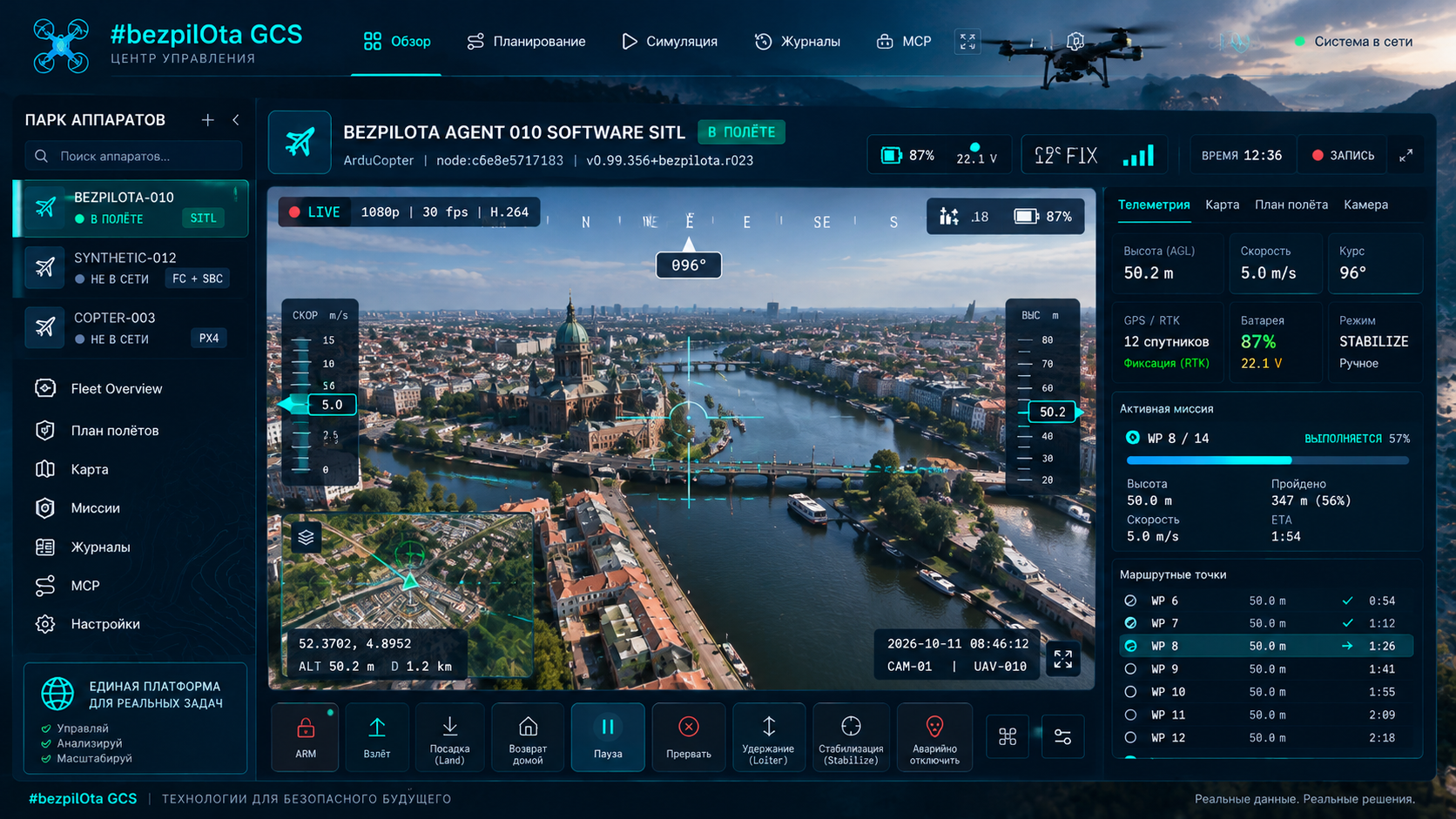
ড্যাশবোর্ড
Attitude, GPS/altitude, battery, flight mode, connection path ও system alerts।
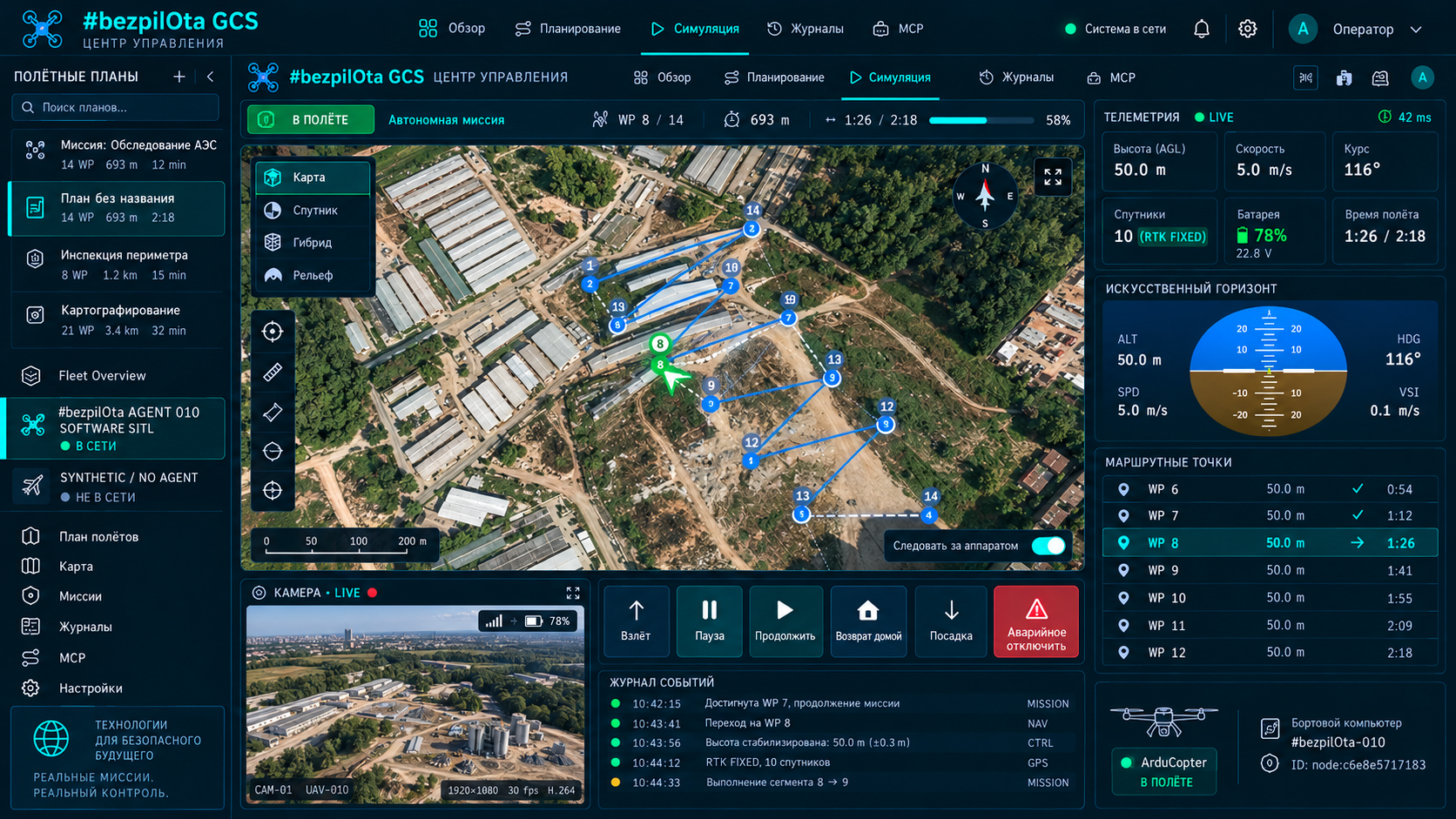
পরিকল্পনা
Waypoints, সাত generators, altitude/speed/camera trigger, geofences, rally, QGC WPL/KML/CSV।
Configure করুন
Failsafe, PID, power, OSD, ports, sensors, gimbal ও firmware-specific panels।
Flight control
Arm/disarm, 25+ ArduPilot modes, 50 Hz gamepad/HOTAS, keyboard ও guided waypoint।
Simulation চালান
3D mission path, terrain following, camera markers, timing ও altitude profile।
Localhost-এ WebSerial flow
npm run devLocalhost খুলুন
Chromium browser-এ http://localhost:4000 খুলুন।
FC যুক্ত করুন
Data USB cable ব্যবহার করুন, Connect চাপুন এবং browser prompt-এ serial port বেছে নিন।
Serial port খোলা
Browser user gesture permission পেয়ে port খোলে।
Heartbeat
Mission Control FC heartbeat-এর জন্য অপেক্ষা করে autopilot/vehicle শনাক্ত করে।
সক্ষমতা
AUTOPILOT_VERSION ও protocol capabilities চায়।
Streams + params
Telemetry streams চায় এবং parameters download করে; handshake target 2–5 seconds।
WebSerial শুধু secure context-এ চলে
WebSerial, WebUSB ও Web Bluetooth-এর HTTPS অথবা localhost-এর বিশেষ trust দরকার। তাই http://localhost:4000 অনুমোদিত, কিন্তু অন্য device থেকে http://<lan-ip>:4000 এই APIs পায় না। অন্য device-এ hardware access-এর জন্য HTTPS বা desktop/Electron build লাগে।
সাধারণ WebSocket ও REST দিয়ে Drone Agent সংযোগ WebSerial permission ব্যবহার করে না, কিন্তু browser mixed-content rules গুরুত্বপূর্ণ: HTTPS page plain HTTP/WS Agent block করতে পারে। সম্পূর্ণ local plain-HTTP mode-এ GCS ও Agent সামঞ্জস্যপূর্ণ context-এ উপলব্ধ থাকতে হবে।
এক network-এ local server ও Agent
npm run dev

# GCS on this machine
http://localhost:4000

# GCS from another LAN client
http://<your-lan-ip>:4000

# Example KairOS Agent address
http://kairos.local:8080
http://192.168.1.50:8080বাস্তব যান ছাড়া physics ও protocol
cd KairOS_Drone-Agent/tools/sitl
npm install
npm start
ArduPilot SITL আলাদা install করতে হবে; binary সাধারণত ~/.ardupilot/-এ থাকে। Bridge simulator telemetry-কে browser transport-এ যুক্ত করে। যানে প্রথম protocol experiment-এর তুলনায় নিরাপদ, তবে versions, params ও mission behavior যাচাই দরকার।
Hardware APIs ও standalone package-এর Electron
npm run desktop:dev
npm run desktop:demo
npm run desktop:build:mac
npm run desktop:buildPlanning-এ প্রায় 200 MB disk ও 200–300 MB RAM ধরা হয়েছে। বাস্তব requirements platform/runtime version-এর ওপর নির্ভর করে Mission Control build-এর সঙ্গে প্রকাশিত হবে।
Mode ও external infrastructure variables
| চলক | ডিফল্ট | উদ্দেশ্য |
|---|---|---|
| NEXT_PUBLIC_DEMO_MODE | false | বাস্তব sources-এর বদলে সাত simulated drones |
| PORT | 4000 | Development server port |
| NEXT_PUBLIC_CONVEX_URL | none | ঐচ্ছিক Convex backend |
| NEXT_PUBLIC_MQTT_URL | none | ঐচ্ছিক MQTT broker |
Local/direct mode-এর cloud variables লাগে না। Convex বা MQTT-এর অনুপস্থিতি direct USB, local Agent discovery বা offline mission planning আটকাবে না।
পৃথক GCS-এর লক্ষ্য structure
KairOS_Drone-Agent/
├── agent/                onboard runtime
├── api/                  local control surface
├── protocols/            MAVLink and MSP adapters
├── media/                video transports
├── extensions/           sandbox runtime and SDK
├── tools/sitl/           simulator bridge
├── deploy/systemd/       Linux services
├── docs/                 project documentation
└── tests/                contracts and hardware profiles